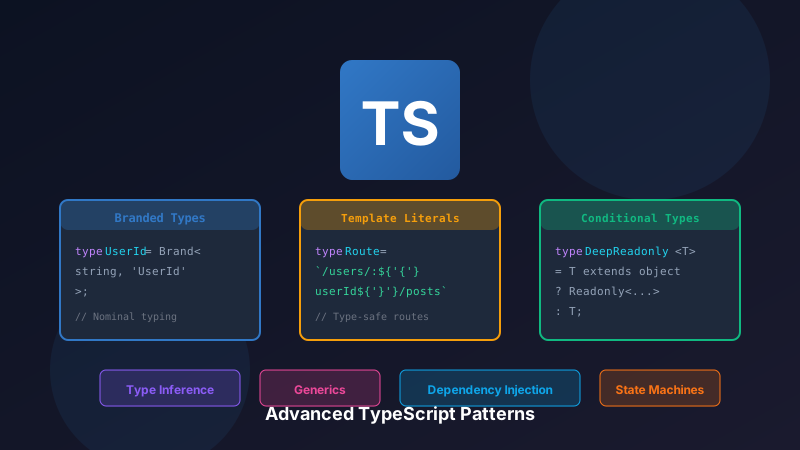

Introduction
TypeScript's type system is one of the most sophisticated type systems in mainstream programming languages. It's Turing complete, meaning it can express complex logic purely at the type level—logic that runs at compile time, not runtime. This article explores advanced patterns that leverage TypeScript's full power to build type-safe, maintainable enterprise applications.
These patterns aren't just academic exercises. They solve real problems: preventing bugs that would otherwise only be caught in production, making impossible states unrepresentable, and turning runtime errors into compile-time errors. The upfront investment in sophisticated types pays dividends in reduced debugging time and increased confidence in refactoring.
Who Should Learn These Patterns?
If you're building enterprise applications, libraries, or working on codebases with multiple developers, these patterns will help you:
- Catch bugs at compile time instead of runtime
- Make your code self-documenting through types
- Enable fearless refactoring with compiler-verified changes
- Reduce the need for runtime validation
Let's dive in.
Branded Types (Nominal Typing)
TypeScript uses structural typing by default. This means two types are compatible if they have the same structure, regardless of their names. This is usually great for flexibility, but sometimes we need nominal typing—where types are distinguished by name, not structure.
The Problem: Structurally Identical Types
Consider a common scenario in any application: you have different kinds of IDs.
type UserId = string;
type OrderId = string;

function getUser(id: UserId): User { /* ... */ }
function getOrder(id: OrderId): Order { /* ... */ }

const userId: UserId = "user-123";
const orderId: OrderId = "order-456";

// BUG: TypeScript allows this because both are strings!
getUser(orderId); // No error, but wrong!typescript
The Solution: Branded Types
Branded types (also called "opaque types" or "newtype pattern") add a phantom property to a type that exists only at compile time. This property makes structurally identical types incompatible.
The key insight is that we're not adding a real property—we're adding a type-level tag that the compiler uses for checking but doesn't exist at runtime. This gives us nominal typing with zero runtime overhead.
// Brand symbol for nominal typing
// 'unique symbol' ensures this symbol is unique across the codebase
declare const brand: unique symbol;

// The Brand utility type intersects T with a phantom property
// This property only exists in the type system, not at runtime
type Brand<T, TBrand extends string> = T & { [brand]: TBrand };

// Create branded types
type UserId = Brand<string, 'UserId'>;
type OrderId = Brand<string, 'OrderId'>;
type Email = Brand<string, 'Email'>;
type PositiveNumber = Brand<number, 'PositiveNumber'>;

// Smart constructors with validation
function createUserId(id: string): UserId {
  if (!id.startsWith('user-')) {
    throw new Error('Invalid user ID format');
  }
  return id as UserId;
}

function createEmail(email: string): Email {
  const emailRegex = /^[^\s@]+@[^\s@]+\.[^\s@]+$/;
  if (!emailRegex.test(email)) {
    throw new Error('Invalid email format');
  }
  return email as Email;
}

function createPositiveNumber(n: number): PositiveNumber {
  if (n <= 0) {
    throw new Error('Number must be positive');
  }
  return n as PositiveNumber;
}

// Now TypeScript catches the error!
const userId = createUserId("user-123");
const orderId = createOrderId("order-456");

getUser(orderId); // Error: Argument of type 'OrderId' is not assignable to 'UserId'typescript
Branded Types with Zod
import { z } from 'zod';

// Define schema with brand
const UserIdSchema = z.string()
  .regex(/^user-[a-z0-9]+$/)
  .brand<'UserId'>();

const EmailSchema = z.string()
  .email()
  .brand<'Email'>();

// Infer branded types
type UserId = z.infer<typeof UserIdSchema>;
type Email = z.infer<typeof EmailSchema>;

// Parse and validate
const userId = UserIdSchema.parse("user-abc123"); // UserId
const email = EmailSchema.parse("test@example.com"); // Emailtypescript
When to Use Branded Types
Use branded types when:
- You have multiple IDs that shouldn't be mixed (UserId, OrderId, ProductId)
- You want to enforce validation (Email, PositiveNumber, NonEmptyString)
- You're working with units (Meters, Feet, Celsius, Fahrenheit)
- You need to distinguish between raw and sanitized data (RawHTML, SanitizedHTML)
The pattern:
- Define a branded type with a unique tag
- Create a "smart constructor" that validates and returns the branded type
- Use the branded type in function signatures
This forces all code paths to go through validation, eliminating an entire class of bugs.
Template Literal Types
TypeScript 4.1 introduced template literal types, enabling string manipulation at the type level. This might sound academic, but it enables incredibly powerful patterns for API design.
Think about it: URLs, event names, CSS classes, environment variables—so much of programming involves structured strings. Template literal types let us express and enforce these structures at compile time.
Type-Safe Route Parameters
One of the most practical applications is extracting type information from route patterns. Instead of manually defining parameter types that can drift from your routes, we can derive them automatically.
// Extract route parameters from path template
type ExtractParams<T extends string> =
  T extends `${infer _Start}:${infer Param}/${infer Rest}`
    ? { [K in Param | keyof ExtractParams<Rest>]: string }
    : T extends `${infer _Start}:${infer Param}`
      ? { [K in Param]: string }
      : {};

// Usage
type UserRouteParams = ExtractParams<'/users/:userId/posts/:postId'>;
// Result: { userId: string; postId: string }

// Type-safe route handler
function createRoute<T extends string>(
  path: T,
  handler: (params: ExtractParams<T>) => Response
): void {
  // Implementation
}

createRoute('/users/:userId/posts/:postId', (params) => {
  // params is typed as { userId: string; postId: string }
  console.log(params.userId, params.postId);
  return new Response('OK');
});typescript
Type-Safe Event Emitter
type EventMap = {
  'user:created': { userId: string; email: string };
  'user:updated': { userId: string; changes: Partial<User> };
  'order:placed': { orderId: string; items: OrderItem[] };
  'order:shipped': { orderId: string; trackingNumber: string };
};

type EventName = keyof EventMap;

class TypedEventEmitter<T extends Record<string, any>> {
  private listeners = new Map<keyof T, Set<(data: any) => void>>();

  on<K extends keyof T>(event: K, listener: (data: T[K]) => void): void {
    if (!this.listeners.has(event)) {
      this.listeners.set(event, new Set());
    }
    this.listeners.get(event)!.add(listener);
  }

  emit<K extends keyof T>(event: K, data: T[K]): void {
    this.listeners.get(event)?.forEach(listener => listener(data));
  }

  off<K extends keyof T>(event: K, listener: (data: T[K]) => void): void {
    this.listeners.get(event)?.delete(listener);
  }
}

// Usage
const emitter = new TypedEventEmitter<EventMap>();

emitter.on('user:created', (data) => {
  // data is typed as { userId: string; email: string }
  console.log(data.userId, data.email);
});

emitter.emit('user:created', {
  userId: '123',
  email: 'test@example.com'
}); // ✅

emitter.emit('user:created', {
  userId: '123'
}); // ❌ Error: Property 'email' is missingtypescript
Why This Matters in Practice
These patterns aren't just clever type tricks—they provide real value:
Type-Safe Event Emitter: The event emitter pattern above ensures you can only emit events that exist in your EventMap, with the correct payload type. No more typos in event names caught only at runtime.
Autocomplete: Your IDE will suggest valid event names and show the expected payload structure. This is documentation that can't go stale.
Refactoring Safety: If you rename an event or change its payload, the compiler tells you everywhere that needs updating.
Conditional Types and Type Inference
Conditional types are TypeScript's if-else at the type level. Combined with the infer keyword, they enable powerful type transformations that would be impossible otherwise.
The syntax T extends U ? X : Y means: "If T is assignable to U, the type is X; otherwise, it's Y."
The infer keyword lets us extract and capture parts of a type for use in the true branch.
Deep Readonly
Let's start with a practical example: making an entire object tree immutable. TypeScript's built-in Readonly<T> only makes the first level readonly. For nested objects, we need recursion.
type DeepReadonly<T> = T extends (infer U)[]
  ? ReadonlyArray<DeepReadonly<U>>
  : T extends object
    ? { readonly [K in keyof T]: DeepReadonly<T[K]> }
    : T;

interface User {
  id: string;
  profile: {
    name: string;
    addresses: {
      street: string;
      city: string;
    }[];
  };
}

type ReadonlyUser = DeepReadonly<User>;
// All nested properties are now readonly

const user: ReadonlyUser = {
  id: '123',
  profile: {
    name: 'John',
    addresses: [{ street: '123 Main St', city: 'NYC' }],
  },
};

user.profile.name = 'Jane'; // ❌ Error: Cannot assign to 'name'
user.profile.addresses[0].city = 'LA'; // ❌ Error: Cannot assign to 'city'typescript
Type-Safe Object Paths
type Primitive = string | number | boolean | null | undefined;

type Path<T, Key extends keyof T = keyof T> = Key extends string
  ? T[Key] extends Primitive
    ? Key
    : T[Key] extends (infer U)[]
      ? Key | `${Key}[${number}]` | `${Key}[${number}].${Path<U>}`
      : Key | `${Key}.${Path<T[Key]>}`
  : never;

type PathValue<T, P extends string> =
  P extends `${infer Key}.${infer Rest}`
    ? Key extends keyof T
      ? PathValue<T[Key], Rest>
      : never
    : P extends `${infer Key}[${number}]`
      ? Key extends keyof T
        ? T[Key] extends (infer U)[]
          ? U
          : never
        : never
      : P extends keyof T
        ? T[P]
        : never;

// Type-safe get function
function get<T, P extends Path<T>>(obj: T, path: P): PathValue<T, P> {
  const keys = path.split(/[.\[\]]/).filter(Boolean);
  let result: any = obj;
  for (const key of keys) {
    result = result?.[key];
  }
  return result;
}

// Usage
interface Order {
  id: string;
  customer: {
    name: string;
    email: string;
  };
  items: {
    productId: string;
    quantity: number;
  }[];
}

const order: Order = { /* ... */ };

const name = get(order, 'customer.name'); // string
const email = get(order, 'customer.email'); // string
const firstItem = get(order, 'items[0]'); // { productId: string; quantity: number }
const productId = get(order, 'items[0].productId'); // string

get(order, 'invalid.path'); // ❌ Error: not assignable to Path<Order>typescript
The Power of Path Types
The Path and PathValue types above demonstrate TypeScript's ability to:
- Recursively traverse object structures
- Build string literal types from that traversal
- Map paths back to their value types
This enables APIs like Lodash's _.get() to be fully type-safe: the compiler knows that get(order, 'customer.email') returns a string, and get(order, 'items[0].quantity') returns a number.
Real-world applications include:
- Form libraries (react-hook-form uses this pattern)
- State management (accessing nested Redux state)
- API response typing (safely accessing nested JSON)
- Configuration objects (type-safe config access)
Type-Safe Dependency Injection
Dependency Injection (DI) is a pattern where objects receive their dependencies from external sources rather than creating them internally. This enables loose coupling, easier testing, and better separation of concerns.
Most DI frameworks in TypeScript lose type information—you register services and resolve them, but the compiler can't verify that you're resolving the right type. Let's fix that.
Container with Full Type Safety
The key insight is using a Token class that carries type information. When you resolve a service using a token, TypeScript knows exactly what type you'll get back.
// Token for identifying services
class Token<T> {
  constructor(public readonly name: string) {}
}

// Service tokens
const TOKENS = {
  Logger: new Token<Logger>('Logger'),
  Database: new Token<Database>('Database'),
  UserRepository: new Token<UserRepository>('UserRepository'),
  OrderService: new Token<OrderService>('OrderService'),
} as const;

type TokenType<T> = T extends Token<infer U> ? U : never;

class Container {
  private instances = new Map<Token<any>, any>();
  private factories = new Map<Token<any>, () => any>();

  register<T>(token: Token<T>, factory: () => T): void {
    this.factories.set(token, factory);
  }

  registerSingleton<T>(token: Token<T>, factory: () => T): void {
    this.factories.set(token, () => {
      if (!this.instances.has(token)) {
        this.instances.set(token, factory());
      }
      return this.instances.get(token);
    });
  }

  resolve<T>(token: Token<T>): T {
    const factory = this.factories.get(token);
    if (!factory) {
      throw new Error(`No factory registered for ${token.name}`);
    }
    return factory();
  }
}

// Usage
const container = new Container();

container.registerSingleton(TOKENS.Logger, () => new ConsoleLogger());
container.registerSingleton(TOKENS.Database, () => new PostgresDatabase());
container.registerSingleton(TOKENS.UserRepository, () =>
  new UserRepository(container.resolve(TOKENS.Database))
);
container.register(TOKENS.OrderService, () =>
  new OrderService(
    container.resolve(TOKENS.UserRepository),
    container.resolve(TOKENS.Logger)
  )
);

const orderService = container.resolve(TOKENS.OrderService);
// orderService is typed as OrderServicetypescript
Builder Pattern with Fluent API
// Stateful builder with type tracking
type BuilderState = {
  hasHost: boolean;
  hasPort: boolean;
  hasDatabase: boolean;
};

class DatabaseConfigBuilder<State extends BuilderState = {
  hasHost: false;
  hasPort: false;
  hasDatabase: false;
}> {
  private config: Partial<DatabaseConfig> = {};

  host(host: string): DatabaseConfigBuilder<State & { hasHost: true }> {
    this.config.host = host;
    return this as any;
  }

  port(port: number): DatabaseConfigBuilder<State & { hasPort: true }> {
    this.config.port = port;
    return this as any;
  }

  database(name: string): DatabaseConfigBuilder<State & { hasDatabase: true }> {
    this.config.database = name;
    return this as any;
  }

  username(username: string): this {
    this.config.username = username;
    return this;
  }

  password(password: string): this {
    this.config.password = password;
    return this;
  }

  // build() is only available when all required fields are set
  build(
    this: DatabaseConfigBuilder<{ hasHost: true; hasPort: true; hasDatabase: true }>
  ): DatabaseConfig {
    return this.config as DatabaseConfig;
  }
}

// Usage
const config = new DatabaseConfigBuilder()
  .host('localhost')
  .port(5432)
  .database('myapp')
  .username('admin')
  .password('secret')
  .build(); // ✅ Works

const incomplete = new DatabaseConfigBuilder()
  .host('localhost')
  .port(5432)
  .build(); // ❌ Error: Property 'build' does not existtypescript
Discriminated Unions for State Machines
type OrderState =
  | { status: 'pending'; createdAt: Date }
  | { status: 'confirmed'; createdAt: Date; confirmedAt: Date }
  | { status: 'shipped'; createdAt: Date; confirmedAt: Date; shippedAt: Date; trackingNumber: string }
  | { status: 'delivered'; createdAt: Date; confirmedAt: Date; shippedAt: Date; deliveredAt: Date; trackingNumber: string }
  | { status: 'cancelled'; createdAt: Date; cancelledAt: Date; reason: string };

// Type-safe state transitions
function confirmOrder(order: Extract<OrderState, { status: 'pending' }>): Extract<OrderState, { status: 'confirmed' }> {
  return {
    status: 'confirmed',
    createdAt: order.createdAt,
    confirmedAt: new Date(),
  };
}

function shipOrder(
  order: Extract<OrderState, { status: 'confirmed' }>,
  trackingNumber: string
): Extract<OrderState, { status: 'shipped' }> {
  return {
    status: 'shipped',
    createdAt: order.createdAt,
    confirmedAt: order.confirmedAt,
    shippedAt: new Date(),
    trackingNumber,
  };
}

// Exhaustive switch
function getOrderMessage(order: OrderState): string {
  switch (order.status) {
    case 'pending':
      return 'Your order is being processed';
    case 'confirmed':
      return `Order confirmed at ${order.confirmedAt}`;
    case 'shipped':
      return `Shipped! Tracking: ${order.trackingNumber}`;
    case 'delivered':
      return `Delivered at ${order.deliveredAt}`;
    case 'cancelled':
      return `Cancelled: ${order.reason}`;
    default:
      const _exhaustive: never = order;
      return _exhaustive; // Compile error if we miss a case
  }
}typescript
Why Discriminated Unions Over Other Patterns
You might wonder why we don't just use a class hierarchy or enums. Discriminated unions have several advantages:
Exhaustiveness Checking: The never trick in the switch statement ensures you handle all cases. If you add a new state, the compiler errors everywhere you forgot to handle it.
No Class Overhead: Discriminated unions are just plain objects. No prototype chains, no instanceof checks, no class instantiation overhead.
Serialization: Plain objects serialize to JSON naturally. Classes require custom serialization logic.
Pattern Matching: Switch statements on discriminated unions are optimized by JavaScript engines and are extremely readable.
Conclusion
Advanced TypeScript patterns enable building applications that are:
Self-documenting: Types serve as living documentation that can't go stale. When you see a function accepting UserId, you know exactly what it expects—and the compiler enforces it.
Refactor-safe: Want to rename a field? Change the type and let the compiler show you every place that needs updating. No more grep-and-pray refactoring.
Runtime-safe: Bugs that would only surface in production—like passing a wrong ID type or accessing an invalid path—become compile errors. You shift debugging time from production incidents to development.
IDE-friendly: Full autocomplete, inline documentation, and error detection as you type. Your IDE becomes a pair programmer that knows your entire codebase.
Learning Path
If these patterns are new to you, here's a suggested learning order:
- Branded Types: Start here—they're simple and immediately useful
- Discriminated Unions: Essential for modeling state machines
- Template Literal Types: Powerful for string-based APIs
- Conditional Types: The foundation for advanced type manipulation
- Builder Patterns: Apply your knowledge to fluent API design
Master these patterns to write TypeScript that leverages the full power of the type system. Your future self (and your teammates) will thank you.